Industries · Clinics
Clinic website design: services, practitioners and booking
Help patients understand your services and contact the right team. We build clinic websites and scope booking connections around the system your practice uses.
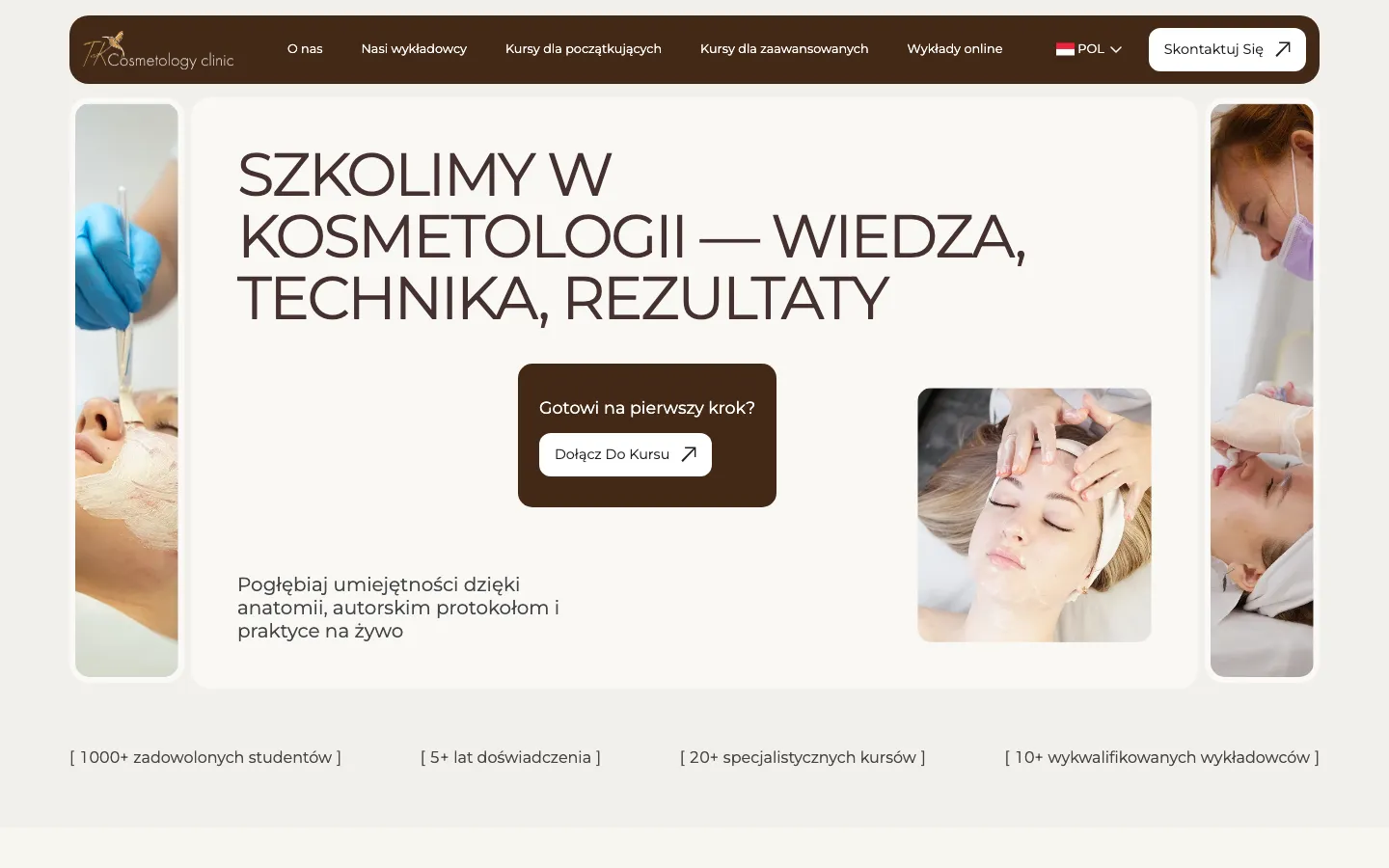
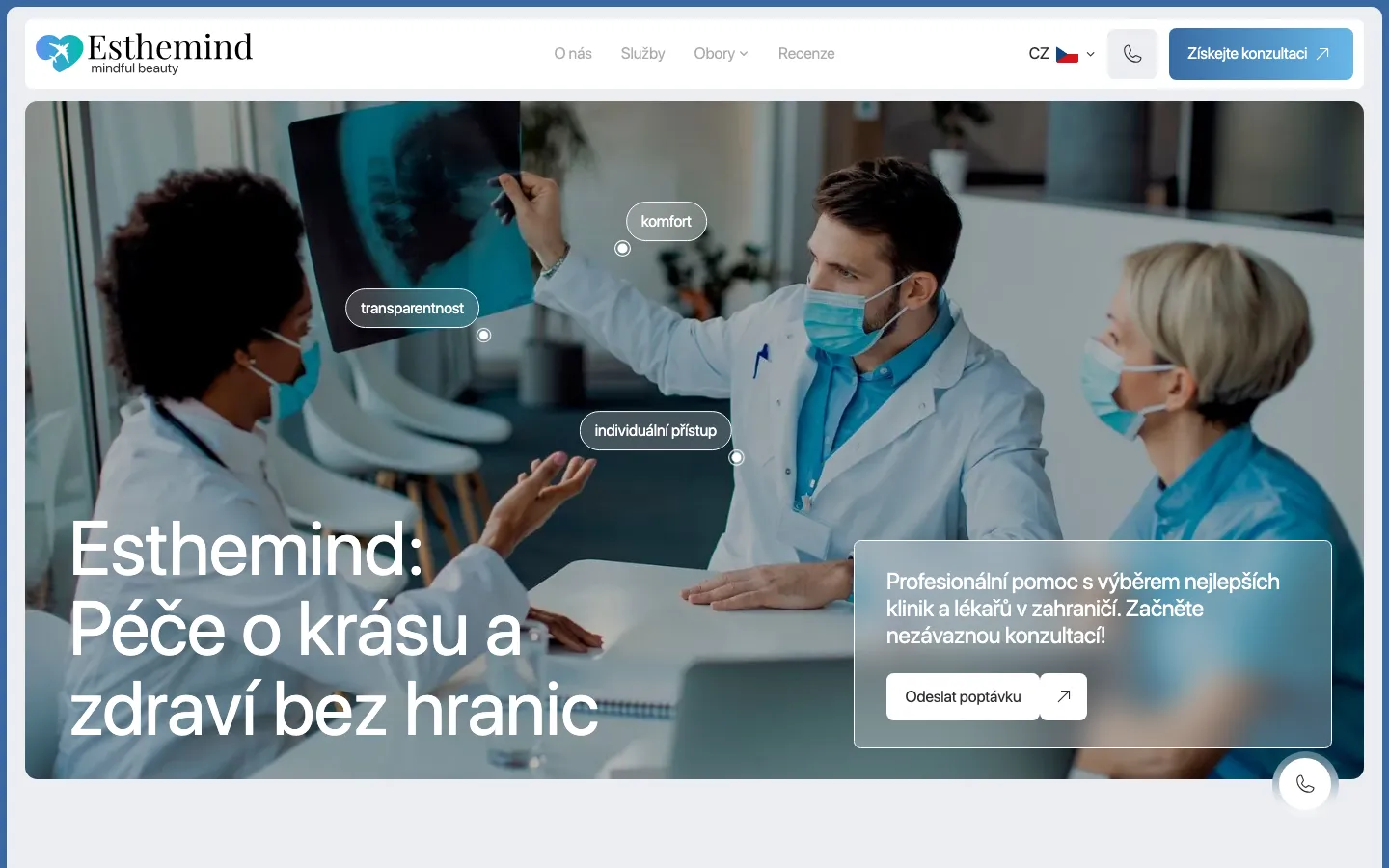
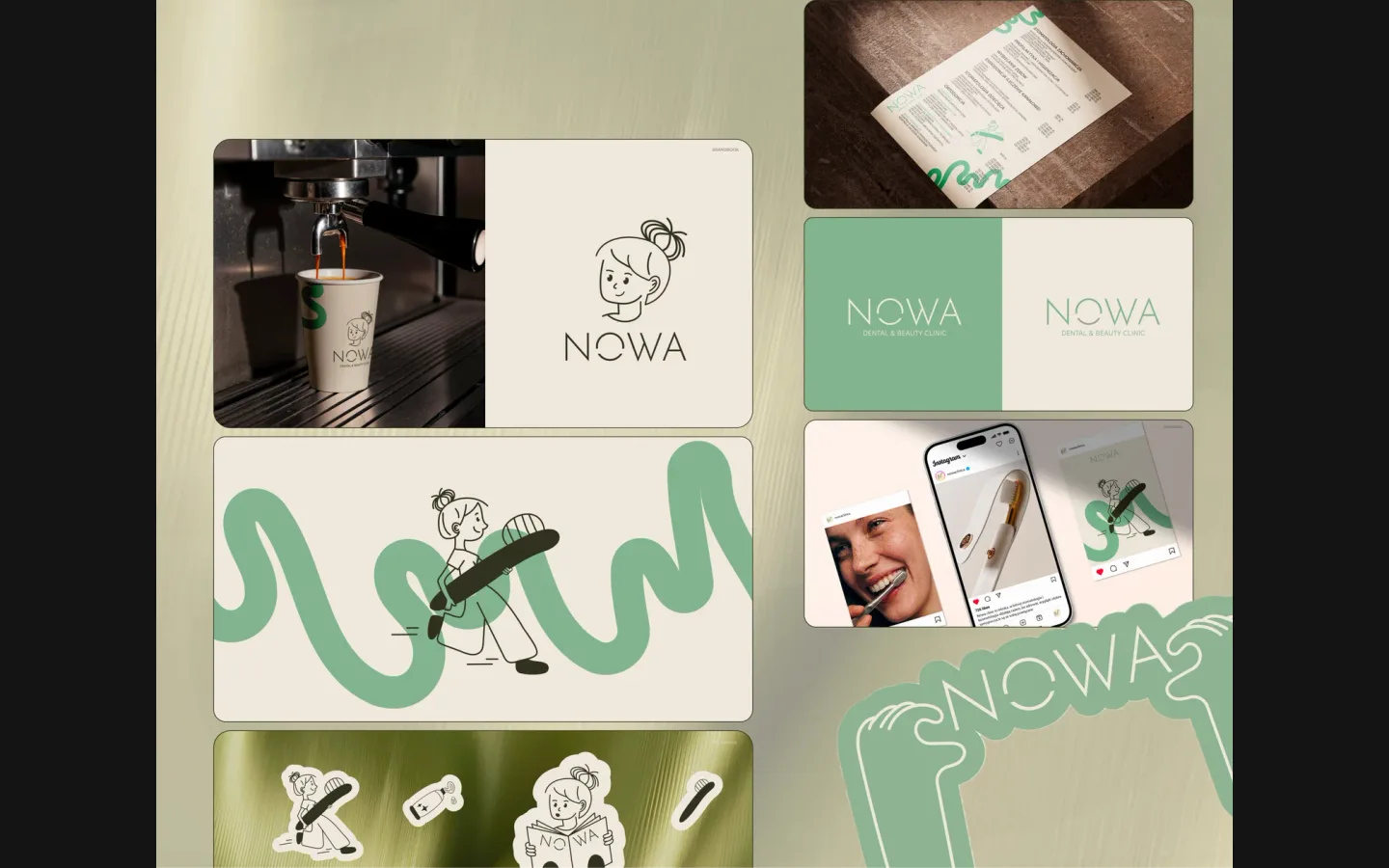
What goes wrong
A submitted request looks like a confirmed appointment. Patients and reception need the same understanding of what has actually been arranged.
Visitors cannot find the practitioner, branch or price conditions relevant to their visit.
Prices and staff profiles change, but updating every affected page or language requires unnecessary manual work.
A typical system
A typical system for a clinic
See how your website, enquiries and customer records can work together. Open a step to explore the service behind it.
- 01Patient-focused website
Service and practitioner pages, branch details and an accessible route to reception.
solution page → - 02Booking connection
An approved widget, supported integration or clearly labelled request, selected after checking the provider.
solution page → - 03Administrative workflows
Routing and approved drafts for routine organisational questions. Personal medical questions go to qualified staff.
solution page → - 04Clinic identity
A coherent visual identity across the website and the practice’s approved brand materials.
solution page →
Who exactly
Who we work with in clinics
Clear service information, practitioner profiles and the appropriate route to appointment enquiries.
Separate journeys for patients and professionals choosing educational programmes.
Coordinated service pages and contact instructions in the languages the team can support.
We can scope a suitable site; NOWA Clinic is a branding project, not evidence of a delivered dental website.
Help patients choose a service and the right next step
A clinic website has to make an unfamiliar visit understandable. A patient may arrive through a treatment name, a practitioner profile or the clinic’s own name. We plan those routes separately, then connect them to the appropriate booking action. The clinic approves medical content; our role is to organise and implement it without turning a contact form into a promise of treatment.
Service information
A useful service page explains what the appointment covers, who provides it, where it takes place and how the clinic determines the price. Preparation instructions should come from approved clinical material. If a consultation is required before a procedure can be offered, say so at the point of enquiry. This prevents an attractive treatment page from suggesting that every visitor is eligible.
Practitioner information
Practitioner pages need current roles, relevant qualifications, languages and links to the services that person actually provides. A profile should distinguish the practitioner’s workplace from the clinic’s general address when there are several branches. Photographs, testimonials and treatment images require the clinic’s publication approval. We prepare a maintainable structure so staff changes do not leave misleading profiles behind.
Decide what “book an appointment” means
We inspect the booking system before designing around its calendar. A provider may offer an approved widget, an API, a link to its own booking page or no suitable integration. Account access, plan restrictions and available fields decide the implementation. Connecting a website cannot create scheduling capabilities that the underlying service does not provide.
Appointment request
With an appointment request, the visitor provides contact details and a preferred service or time. The success message explains that reception will confirm availability. The request needs an owner and a fallback route if delivery fails. This is a reasonable first release for a small practice, provided the page never presents a preference as a reserved appointment.
Confirmed appointment
With confirmed booking, the selected slot must be checked against the actual schedule. We test simultaneous attempts, service duration, practitioner absences, cancellations and rescheduling. Confirmation and reminder wording follows the clinic’s process. If the provider fails, the patient sees a usable alternative contact. The clinic’s staff should be able to explain what happened without opening technical logs.
Prepare the information before designing every page
Inventory the services
Start with a service inventory containing the public name, responsible practitioner, branch, current price presentation and booking route. Add links to approved preparation material. Mark missing photographs and questions that need clinical review. This turns content preparation into a finite task and prevents the same vague introduction from being copied across every treatment page.
Assign approval
Give medical statements, organisational information and visual material an identified approver. Reception can confirm opening hours and how calls are handled; a clinician approves treatment explanations. These are different decisions. We can organise drafts and page layouts, but clinical accuracy cannot be inferred from another clinic’s website or delegated to an unsupervised text generator.
Plan updates
Choose who will maintain prices, biographies and temporary closures after launch. The editor should practise changing a real service and previewing it on a phone. A review date is useful only when someone will act on it. For multilingual practices, an update must also identify the other language versions affected, rather than allowing prices and preparation details to drift apart.
Keep the first contact proportionate
- Enquiry fields
- A general contact form rarely needs a diagnosis, medical history or a document upload. We begin with the minimum information needed to route the enquiry, and direct clinical records through the practice’s approved channel. The clinic confirms its requirements with the people responsible for data protection. A website project should not quietly create an additional patient record system.
- Access and storage
- Before connecting a CRM, booking provider or messaging tool, identify where each message goes, who can access it and how mistakes are corrected. Avoid copying sensitive free text into several unrelated services. Retention settings, account ownership and the responsible staff member belong in the delivery plan. A checkbox alone does not answer these operational questions.
- Analytics
- Measure service-page visits and successful enquiry actions without placing the contents of patient messages in analytics. Record whether a request was delivered and whether reception could process it. Clinical details have no place in advertising event names or tracking URLs. We separate the technical measurement plan from the clinic’s decisions about consent and other legal requirements.
Design for a person who needs a clear answer
The visual direction should reflect the practice while leaving service names, prices and contact actions easy to read. Real rooms and staff usually explain the setting better than anonymous medical imagery. Motion must not obstruct reading or booking. On mobile, persistent navigation should leave enough room for the service information rather than covering it with competing widgets.
We test forms with visible labels, clear error messages and keyboard access, following W3C’s form guidance. A visitor should know which field needs attention without losing the information already entered. Click-to-call, branch directions and the booking provider must remain usable at larger text sizes. Accessibility is part of the route to reception, not a separate decorative badge.
A useful first release
For a first release, prioritise accurate service pages, practitioner information, branch details and a reliable enquiry route. Add reminders, a wider resource library or a multilingual expansion when owners and maintenance are agreed. An AI assistant is optional: routine administrative drafts can be scoped separately, while personal medical questions remain with qualified staff.
Accept the complete journey, then measure it
Patient journey
Before publication, try a new-patient request, an existing-patient question and an unavailable service. Check that each starts on an appropriate page and ends with a truthful confirmation. Verify the address, selected language, phone link and booking destination. Use test data, then remove it through the agreed process. A successful-looking screen is insufficient if nothing reaches reception.
Reception journey
Ask the receiving team to find the request, identify its service and branch, reply through the expected channel and record its outcome. Test a missed notification and the fallback contact. Where a calendar is integrated, verify the booking in that calendar and check cancellation too. This confirms that the website fits everyday reception work rather than merely passing a design review.
Ownership and improvement
The handover includes account ownership, editing instructions, integration boundaries and the next review date. Compare suitable enquiries and booking completion with the agreed starting point; do not infer treatment revenue from button clicks. Send HeadPills your current site, service list and booking provider to define a scoped proposal. The public price list is the starting point; integrations and content preparation are itemised separately.
“Our patients come from different countries, so the site had to work in several languages and feel trustworthy from the first screen. HeadPills built it that way: clear structure, calm design, every language in place. Enquiries now come through the site.”
Specifics
What is different in clinics
Clinical statements and publication permissions are confirmed by the practice.
The practice defines its requirements with responsible advisers; the implementation follows the agreed data flow.
No diagnosis or personal treatment recommendation from an administrative assistant. We do not claim a published clinic AI-agent deployment.
Price
A clinic site starts from €1 000; booking, confirmations and reminders as one process from €500; identity from €1 000.
Fixed in writing after a short call. Project scope and running costs are agreed before work begins.
Questions
Questions about clinics projects
Can you connect our existing booking service?
We first check the supplier, account and supported integration. The proposal distinguishes a booking request from a confirmed slot.
Who prepares medical content?
We organise and edit the pages; the clinic approves medical statements, practitioner details and publication permissions.
Can we launch without an AI assistant?
Yes. Accurate information and a reliable appointment route can form the first release. Automation is an optional, separately scoped addition.
Tell us how a customer reaches a clinic today.
A short call, then a fixed price in writing.