Studio concept · Music

Built by HeadPills for itself, no client and no brief from outside. Not counted with the client projects.

ffalsum: a music catalogue with a persistent player.

A studio concept combining a producer’s real catalogue with uninterrupted playback during internal navigation, BPM and pack filters, and motion driven by prepared beat data.

  • Music
  • Beat catalogue
  • Studio concept
  • Audio
  • Interaction design
ffalsum.headpills.comffalsum website preview
Recorded collection

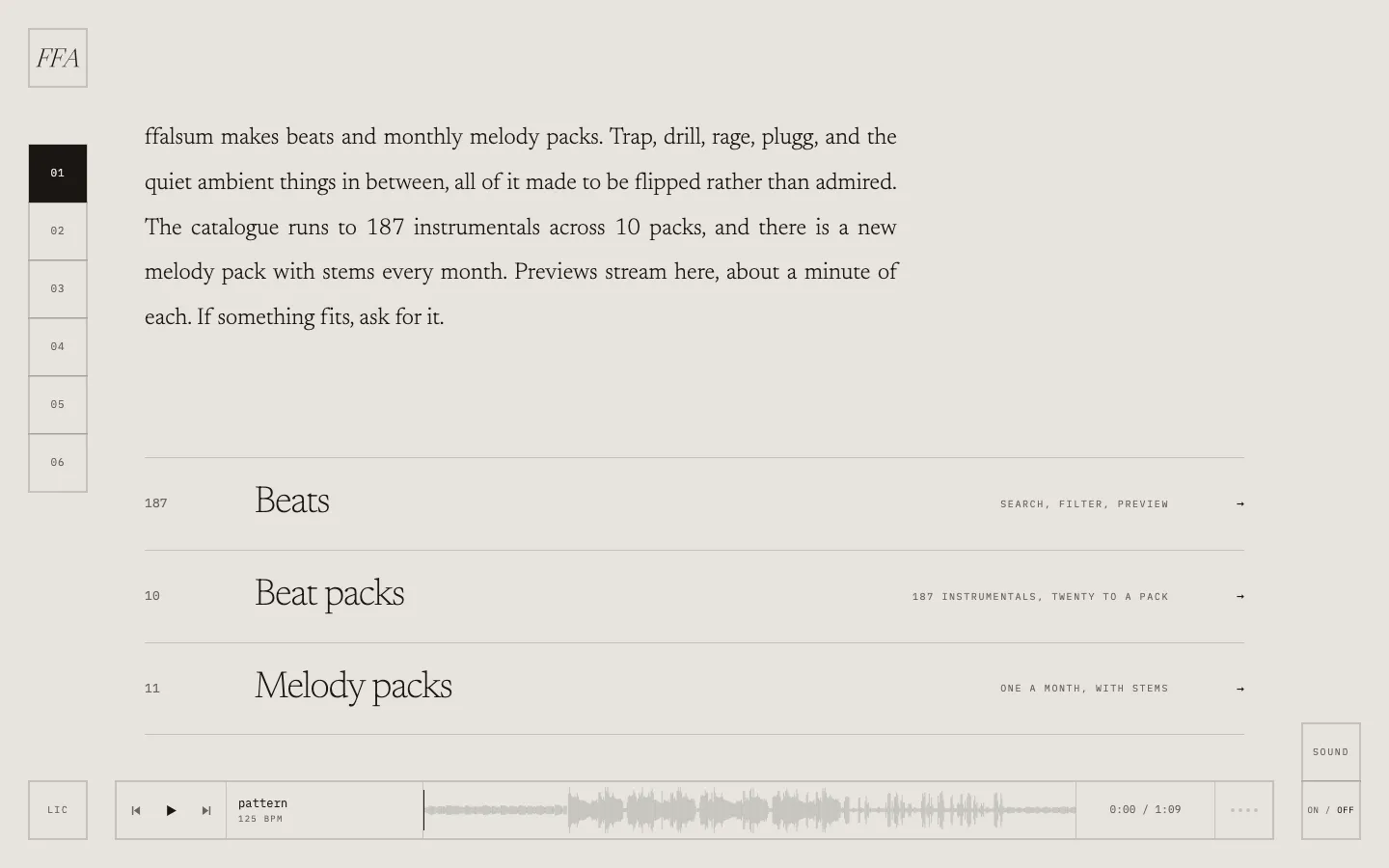
187 instrumentals in 10 packs, plus 11 melody packs. project records and saved screens

Persistent player

Internal section changes preserve the player. project records and saved screens

Prepared beat data

Rhythmic visuals use a grid measured per track. project records and saved screens

The project

Task, approach and delivery

The task

Make a large collection navigable while keeping the listening context visible across sections.

The approach

We placed audio outside the page router, structured the catalogue by metadata and connected selected visual motion to a measured grid for each track.

What we delivered

A studio catalogue concept with 187 instrumentals in 10 packs, a persistent player, filters and a licence-information page. Music and artwork belong to the producer; HeadPills does not sell them.

A music catalogue designed around the act of listening

The ffalsum project is a HeadPills studio concept built around a producer's real catalogue. The recorded collection contains 187 instrumentals in 10 packs, with 11 melody packs also presented. The audio and artwork belong to the producer. Our work concerns the website and its interactions; HeadPills does not sell this music or present the producer as a commissioned client.

The first screen gives music its own identity

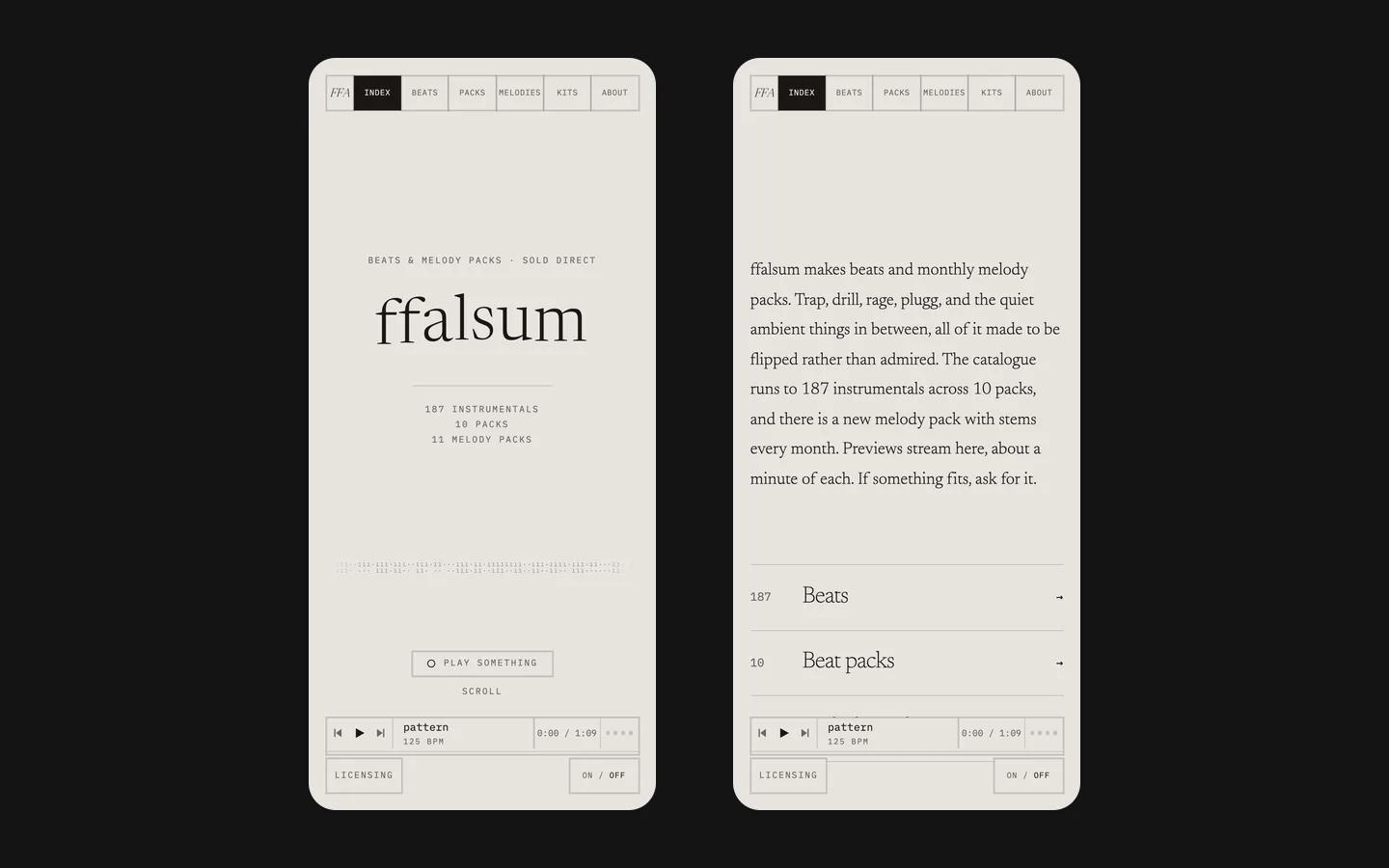
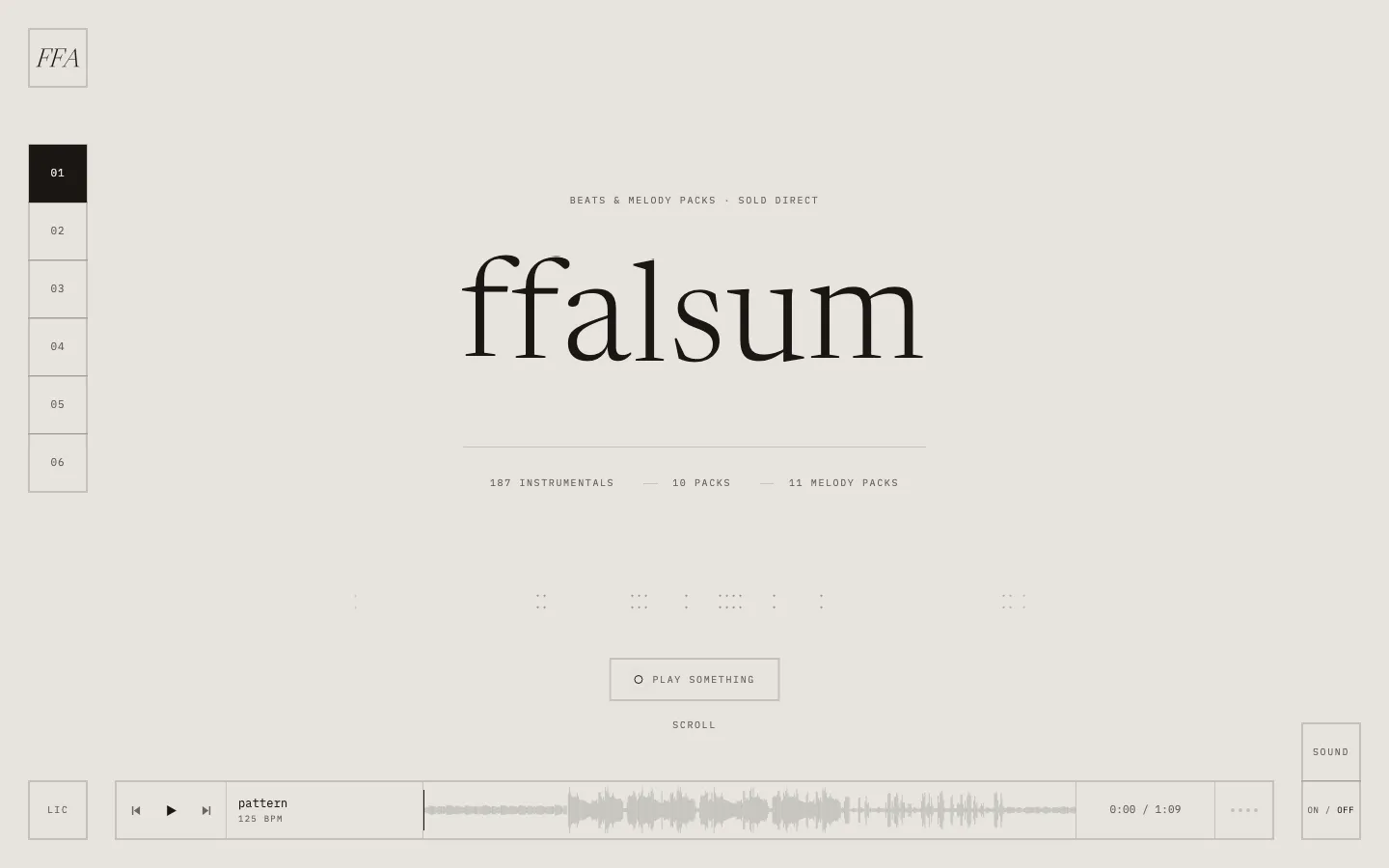
The saved opening uses an oversized black serif wordmark on a warm off-white background. Small monospaced labels, a numbered vertical rail and fine dividing lines organise the surrounding information. The contrast between expressive type and precise controls gives the catalogue a recognisable character without making every element equally loud. A long player bar sits along the bottom of the composition.

The player is part of the opening rather than a tool hidden several steps inside the catalogue. Its track name, transport controls, time and waveform make the listening state visible. This matters because the visitor is exploring audio, not simply comparing cover images. The design gives the main activity a stable place while the rest of the page introduces the producer's world.

The catalogue counts are project-scope information, not evidence of agency sales. Likewise, commercial wording visible in an archived concept screen does not mean HeadPills operates a real checkout for the producer. The distinction keeps the case useful: it can demonstrate a detailed music interface while being clear about ownership and the experimental status of the work.

The player is separate from page navigation

Project records describe audio living in a persistent shell outside the page router. In practical terms, moving between the site's sections does not require rebuilding the player. The same track and playback position can continue while the visitor examines another part of the catalogue or a licence explanation. That continuity is the interaction problem this part of the concept addresses.

This is more precise than promising that the music never stops. Playback can still be affected by the visitor, the browser, a reload, a connection problem or leaving the site. The recorded design concerns navigation inside the experience. A clear case should describe that boundary rather than turn one architectural choice into an absolute guarantee about every possible listening situation.

For a comparable music website, we would define which transitions preserve playback and which actions intentionally change the track. Choosing a filter, opening an information section and selecting a new song are different events. If all three reset audio in the same way, the interface makes exploration harder. If none communicates its effect, a listener can also lose track of what is currently playing.
Three states need to remain understandable

The playing track
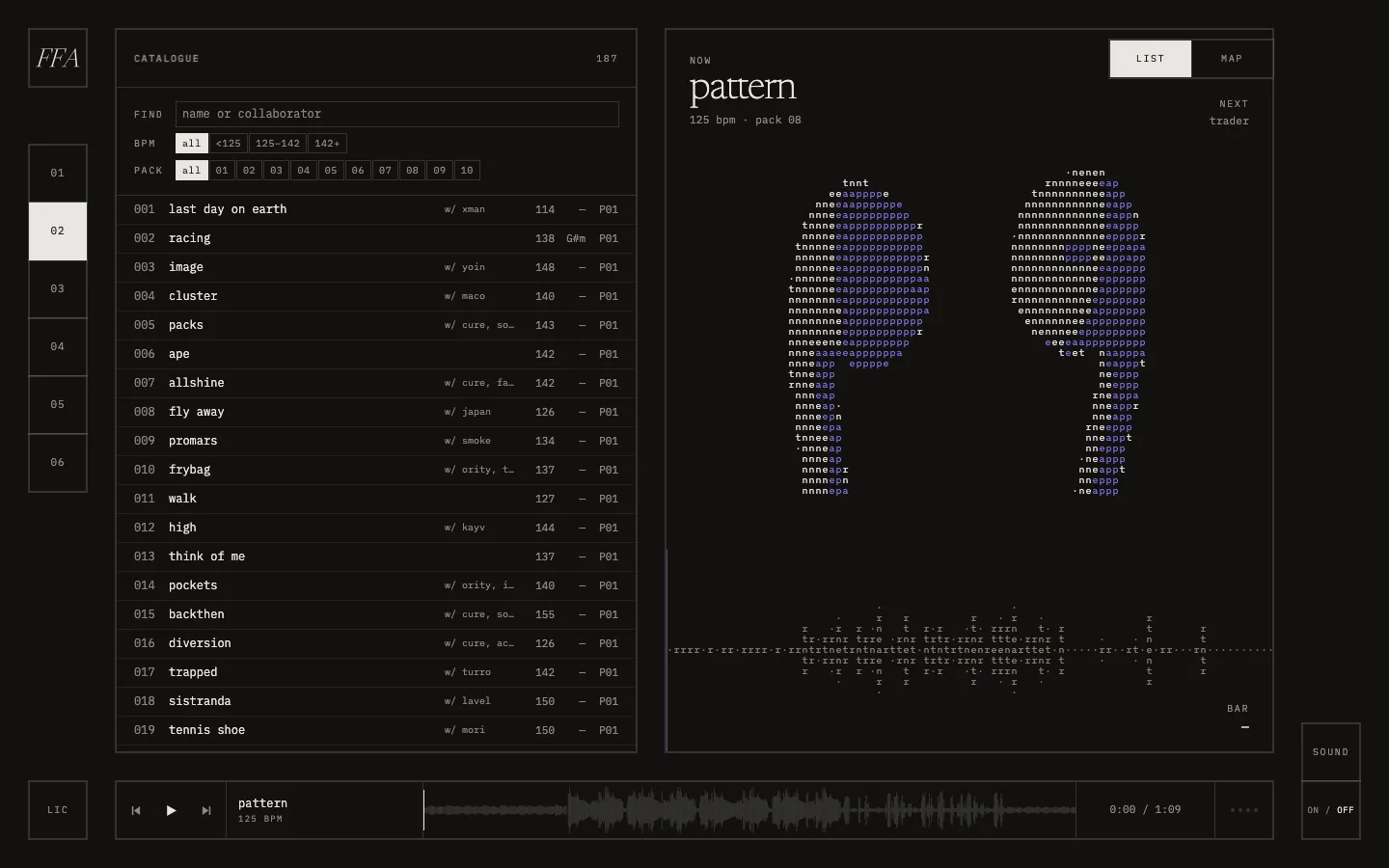
The persistent bar identifies the active track even when the page shows something else. Its controls belong to playback, not to the current filter result. A commissioned version should make play, pause and track selection understandable without requiring the visitor to read a visual animation as the only indication of state.
The viewed selection
Filters can narrow the catalogue while another track is still playing. Those states should be distinguishable. The interface should not silently imply that the first visible row has replaced the active track. A useful browsing model preserves listening context and lets the visitor choose when to change it.
The chosen presentation
The recorded list and map views offer different ways to explore the same material. Switching representation should not create a second, inconsistent catalogue. Titles, pack relationships and track identity need to stay aligned so that visual exploration remains connected to the music the visitor actually selected.

A beat grid connects motion to the recording

The project record describes an offline pass over each track to measure its beat grid. Elements intended to land on musical beats read that prepared grid rather than relying on an unrelated repeating timer. The distinction is meaningful: a generic pulse can continue at the same pace while the recording's structure changes or a different track is selected.

This does not mean every movement needs to react to audio. Navigation, reading and playback controls still need a stable hierarchy. The useful question is which visual events become clearer or more expressive when they follow the music. In a comparable brief, we would identify those moments before adding motion, instead of making all controls move simply because beat information is available.

A prepared grid also creates content-management requirements. A newly added track needs the corresponding data if it is expected to participate in the same behaviour. The interface needs a sensible presentation when that data is absent. These are implementation considerations for a similar project, not a claim that every music format or arbitrary uploaded recording has already been tested in this concept.

Filters make a large collection easier to investigate

The recorded catalogue includes BPM and pack filters, with name or collaborator search described in the project material. These are different routes into the same collection. A listener who knows a title can search directly; someone exploring a musical pace can narrow by BPM; someone interested in a release can use the pack structure. The interface should not require all three kinds of knowledge at once.

The saved catalogue screen also presents the current track through a character-map visual. That expressive layer gives the project its own appearance, while the textual metadata keeps the material identifiable. The map is not a substitute for a readable title or a usable row. A music catalogue benefits from both an evocative presentation and an ordinary way to find something again.

For a commissioned version, we would agree the metadata before styling filters. Titles, collaborators, tempo and pack membership need consistent fields rather than information hidden inside free-form descriptions. The client also needs a defined process for correcting an entry or adding a release. A filter system is only as useful as the catalogue information it receives.

Interface sound follows the same material

According to the project record, interface sounds were cut from the producer's own beats. This connects small feedback sounds with the larger audio identity. It avoids treating the player, page transitions and controls as unrelated layers. The case attributes the source music to the producer and the interaction treatment to the studio, rather than claiming authorship of the underlying recordings.

Sound also needs restraint. A visitor may be concentrating on a track, and feedback should not obscure what they came to hear. The saved opening includes a sound control, making sound an explicit part of the interface. For a similar commission, we would agree which actions produce feedback, how it relates to playback volume and how the experience remains understandable when those effects are disabled.

Licence information belongs in the browsing journey

The recorded scope includes a licence page. Its role within this concept is to provide a place for explanations relevant to the catalogue. A website layout cannot itself establish permission to use a recording, and this case does not grant such permission. The producer's ownership and the studio's role remain separate from the design of an information page.

For a real commercial implementation, the owner would supply the approved offer, usage terms and purchase process. The web team would then connect those materials to the appropriate track or pack and make the next step clear. That is a separate scope decision from building a persistent player. An attractive catalogue should not be described as a complete music business merely because it includes a pricing or licence-related screen.

Preparing a similar audio website

  1. Organise the catalogue

    Gather approved audio, artwork and structured metadata, and confirm which materials may be presented. Separate the content owner's responsibilities from the studio's implementation work. Establish the relationship between tracks and packs before selecting the final browsing controls.

  2. Define listening behaviour

    Specify how internal navigation, filters, track selection and playback controls interact. Decide where music continues and where a change is intentional. Then connect any rhythmic motion to the relevant data and provide understandable states when audio or motion is unavailable.

  3. Check the complete journey

    Review finding a track, listening, changing the view, reading supporting information and returning to the catalogue. Include a narrow-screen layout and visible playback state. Acceptance should evaluate the connected experience rather than treating the homepage screenshot as proof that the listening workflow is complete.

What this concept demonstrates

ffalsum demonstrates a persistent player, structured discovery, musical motion and a distinctive typographic direction around a real catalogue. It remains an explicitly labelled studio concept with no agency music sales claimed. For a comparable project, the useful starting material is the catalogue, ownership information and the intended listening journey; those decisions determine the interface more directly than a generic template for a music homepage.

What the site does

Project features

  • Keep listening

    Playback persists across internal navigation.

  • Follow the recording

    Selected motion reads prepared beat data.

  • Explore the catalogue

    BPM and pack filters, search and two views.

  • Connect the sound identity

    Interface effects use the producer’s material.

Questions

About ffalsum

Is ffalsum a client of HeadPills?

No. This is a studio concept around a real producer’s catalogue. The music and artwork belong to the producer; no music is sold by HeadPills.

How does the ffalsum site keep the music playing between pages?

Audio is hosted in a persistent shell outside page navigation. Internal section changes do not recreate the player; this does not guarantee uninterrupted playback under every browser or network condition.

What is the beat grid on the ffalsum site?

Prepared timing data measured for each track, used by selected rhythmic visuals rather than an unrelated timer.

Start a similar project.

Tell us what your site has to do. A short call, then a fixed price in writing.